
Add Subnet
Add Subnet
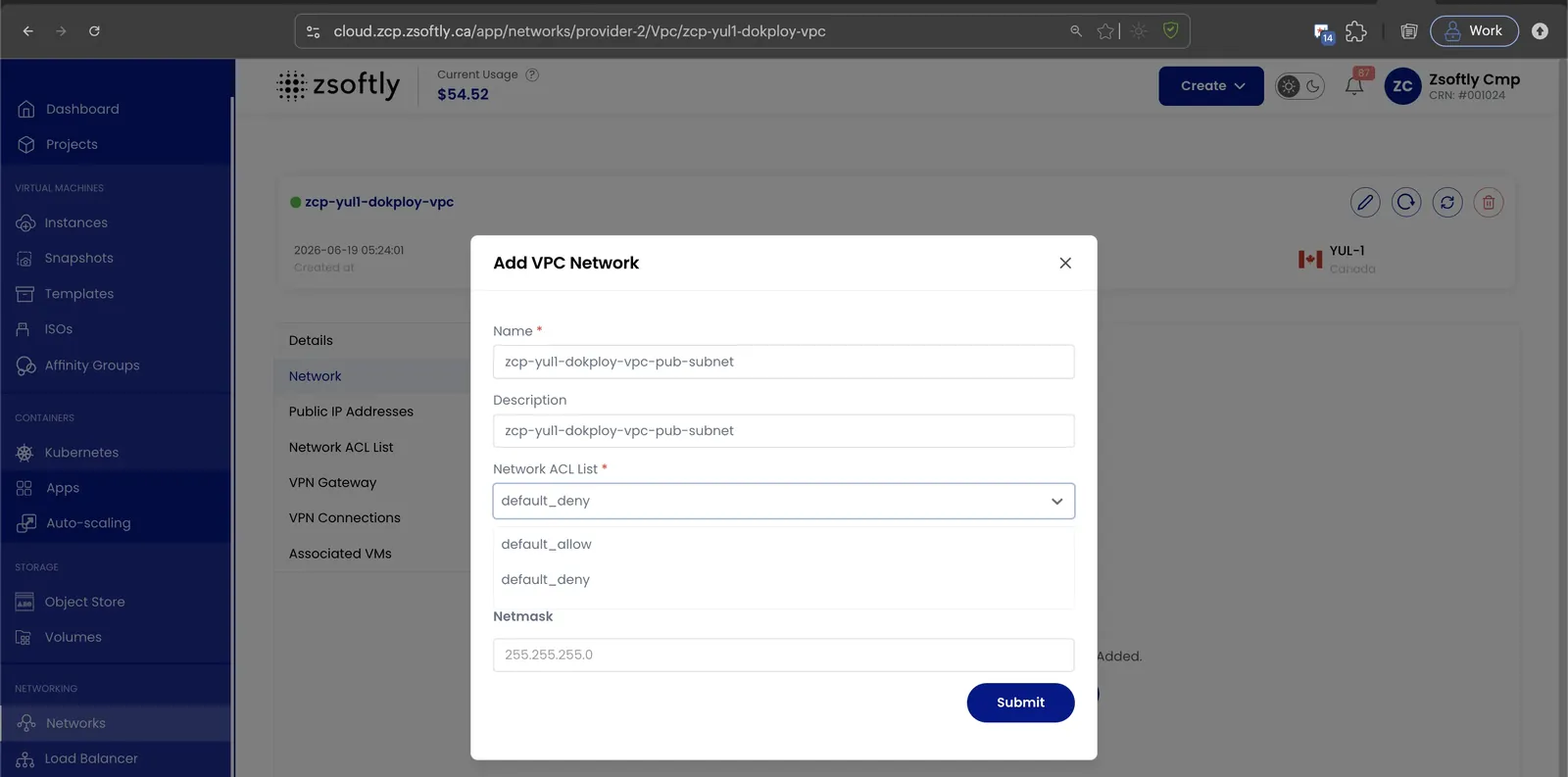
Section titled “Add Subnet”The Network tab displays all networks (subnets) created inside the VPC. Add new subnets as needed.
- Navigate to the Network tab inside your VPC.
- Click Add Network.
Subnet fields
Section titled “Subnet fields”- Name: Identifier for the subnet.
- Description: Summary of the subnet’s purpose.
- Network: Subnet CIDR block (e.g.,
192.168.1.0/24). - ACL: Select a predefined ACL or create a new one to control inbound/outbound traffic.
- Gateway: The network gateway for routing traffic.
- Network Mask: Network mask for the subnet.
Click Submit to create the subnet.
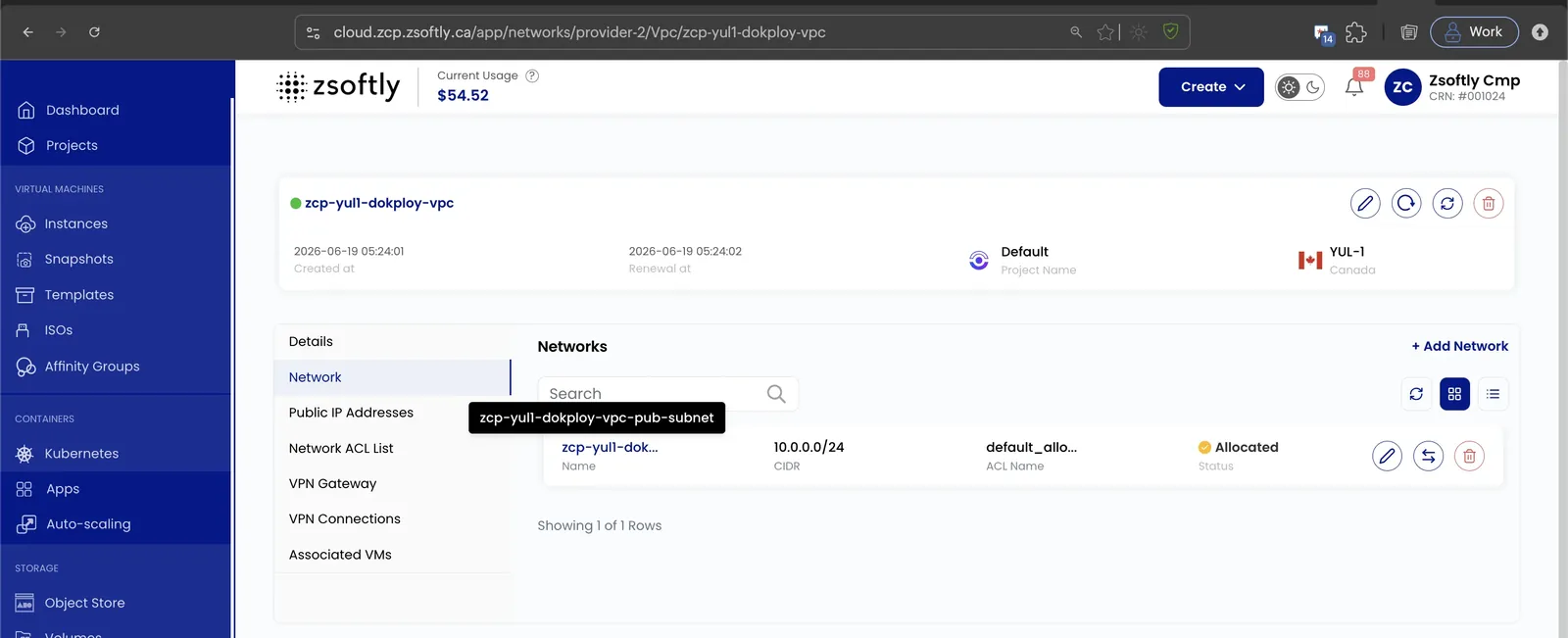
The new subnet then appears under the Network tab with its CIDR, ACL, and allocation status.
See also: Network ACLs, VPC Overview