
Debian
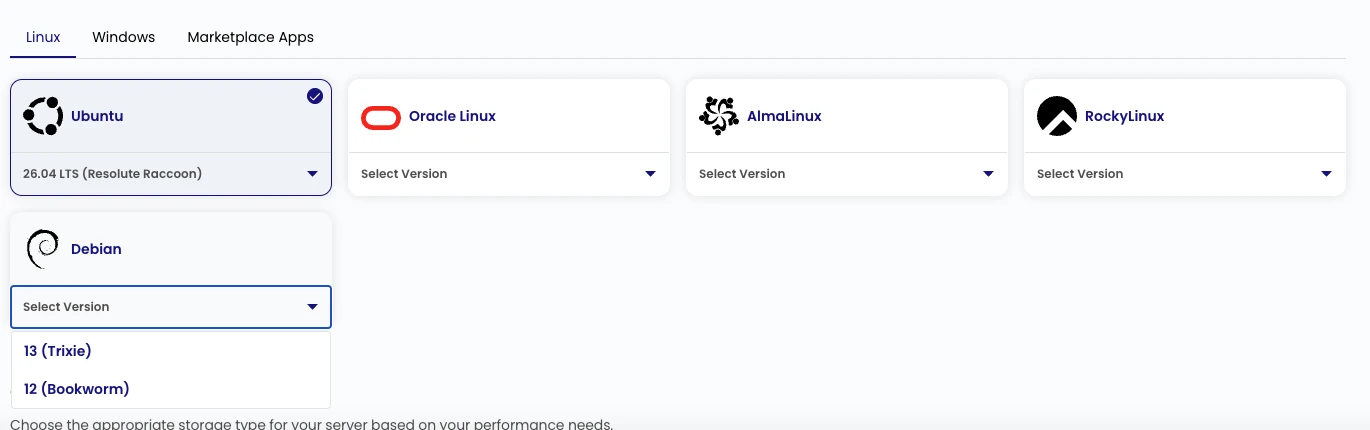
ZCP supports two Debian public images:
| Image | Release | Regions | Default user |
|---|---|---|---|
Debian-13 | 13 (Trixie) | yow-1, yul-1 | debian |
Debian-12 | 12 (Bookworm) | yow-1, yul-1 | debian |
Requirements and Sizing
Section titled “Requirements and Sizing”The smallest configured general-purpose plans provide a starting point for a basic Debian VM:
| Region | Plan | CPU | Memory | Storage tier |
|---|---|---|---|---|
yow-1 | ci1c.xs | 1 vCPU | 1 GiB | b1.g1 |
yul-1 | ca2c.xs | 1 vCPU | 1 GiB | b2.g1 |
The root disk is chosen when you create the instance. The minimum is the template size. A 40 GiB root disk leaves room for the base image, package metadata, cloud-init work, logs, and normal system updates. Add capacity for application packages, databases, monitoring agents, backups, and concurrency. Check the instance types and ZCP pricing page for current plan availability and pricing.
Best Practices
Section titled “Best Practices”- Pin the Debian release and region in infrastructure code.
- Use SSH keys and the
debianaccount with least privilege. Do not share administrative credentials. - Make cloud-init configuration idempotent and verify first-boot completion.
- Apply patches through Debian’s official repositories.
- Configure firewall rules, backups or snapshots, monitoring, and disk-space alerts before exposing an application.
- Separate operating-system and application data when the workload, backup plan, or recovery process benefits from it.
Official References
Section titled “Official References”Supported Alternatives
Section titled “Supported Alternatives”Use an image listed in the current OS image catalog:
- Ubuntu: 26.04, 24.04, 22.04, or 20.04 LTS
- Rocky Linux: 9
- AlmaLinux: 9
- Oracle Linux: 9