
Account Security
Protect access to your organization with two-factor authentication and good password hygiene. These settings live under the Authentication area of your profile.
Two-Factor Authentication (2FA)
Section titled “Two-Factor Authentication (2FA)”Two-factor authentication adds a second verification step at login, so a password alone isn’t enough to access the account.
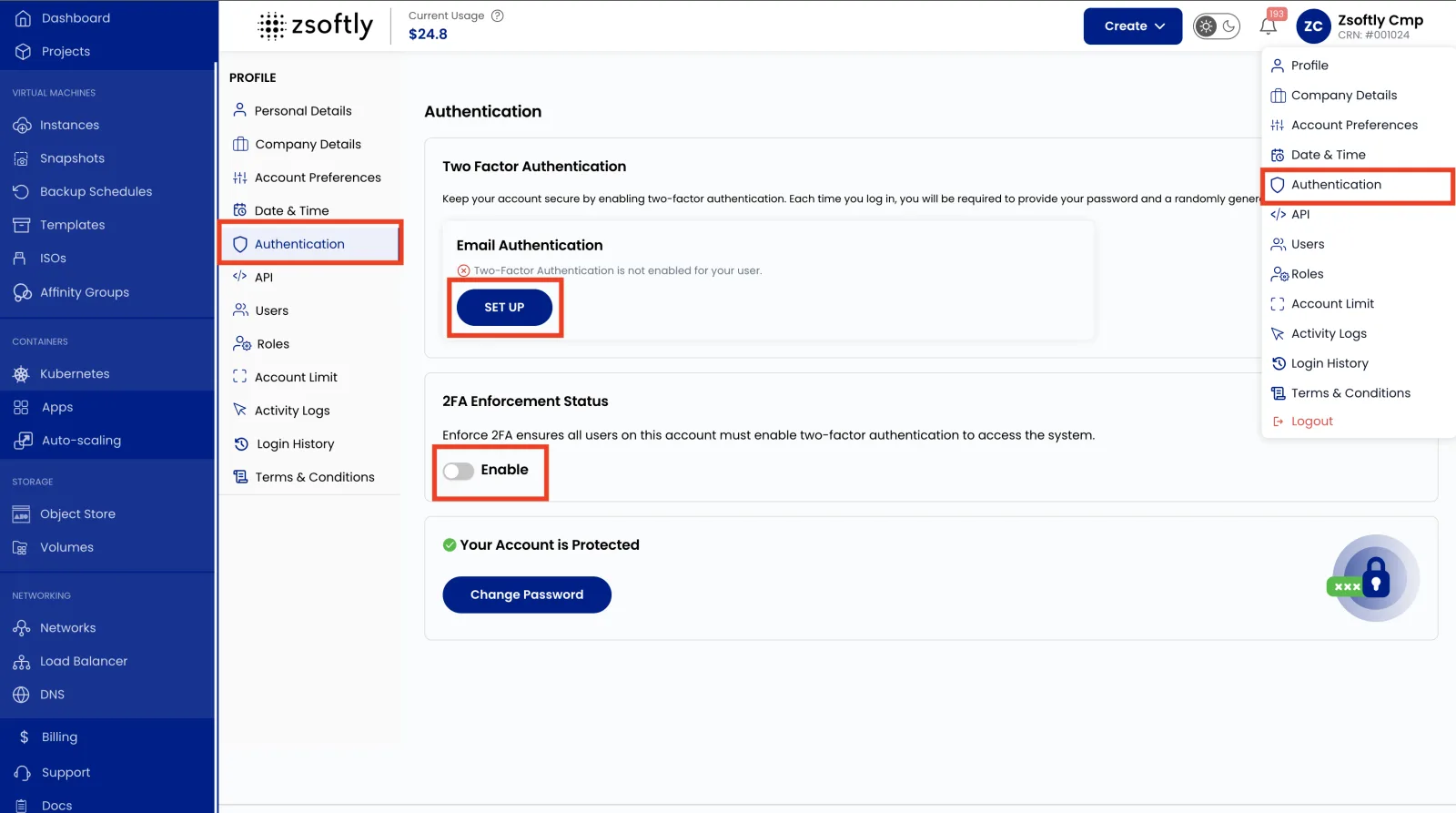
- Click your username (top-right) to open the Profile menu.
- Select Authentication, then locate Two-Factor Authentication (2FA).
- Click Set Up under Email Authentication.
- Enter your Email ID and click Send OTP.
- Enter the OTP sent to your email to confirm.
- Toggle Enable 2FA for All Users if you want it enforced across your organization.
Change your password
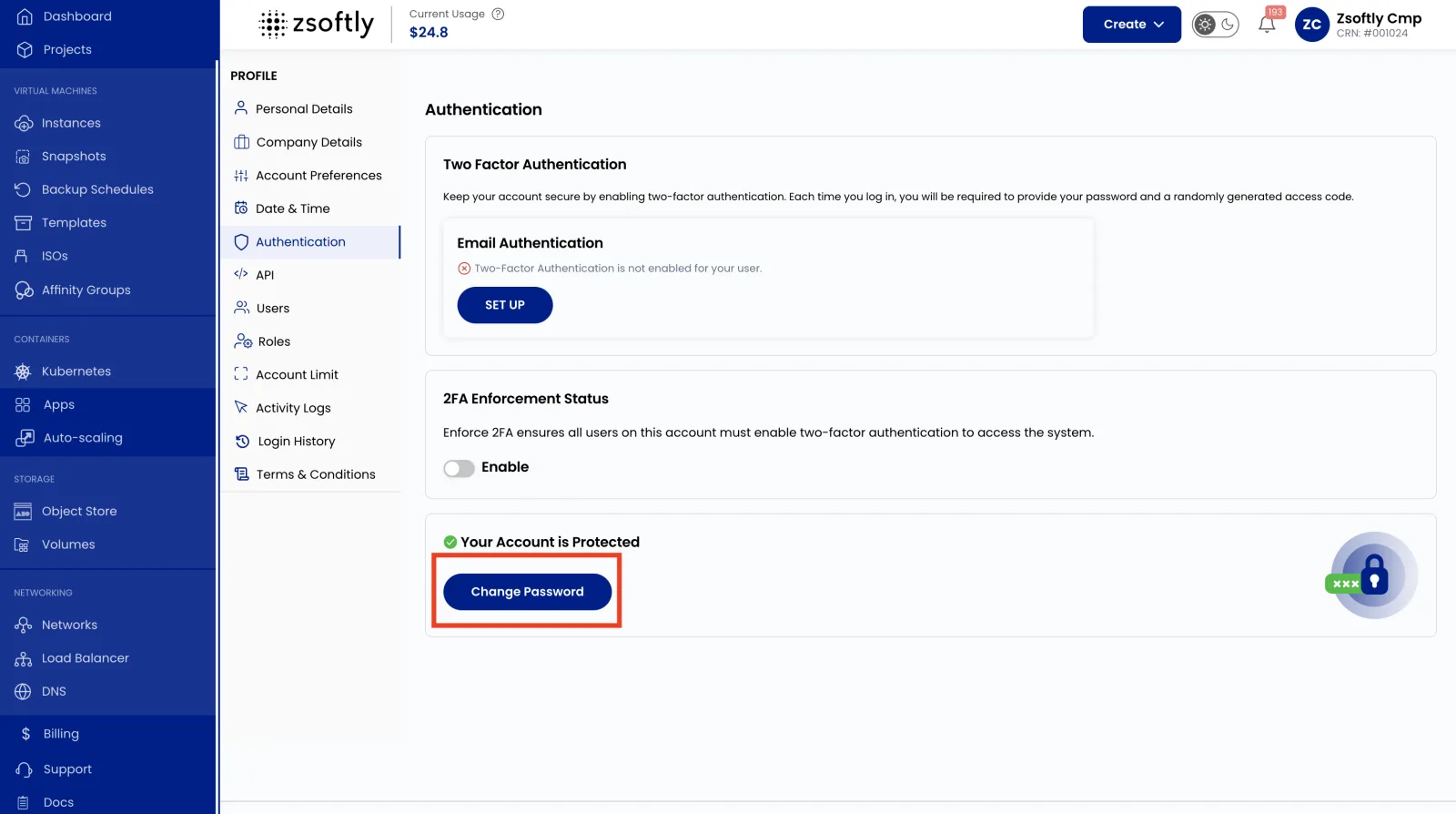
Section titled “Change your password”- Click your username (top-right) to open the Profile menu.
- Select Authentication, then click Change Password.
- Enter your Current Password, then enter and confirm your New Password.
- Click Change Password to save.
Related
Section titled “Related”- Users: manage who signs in to your organization.
- IAM Overview: the full access model.
