Connect With SSH
Manage your instance using a terminal and SSH for secure remote access.
Prerequisites
Section titled “Prerequisites”Before connecting, ensure you have:
- IP Address: Available on the instance card or Instance Overview.
- Default Username: Depends on the OS image; see the table below.
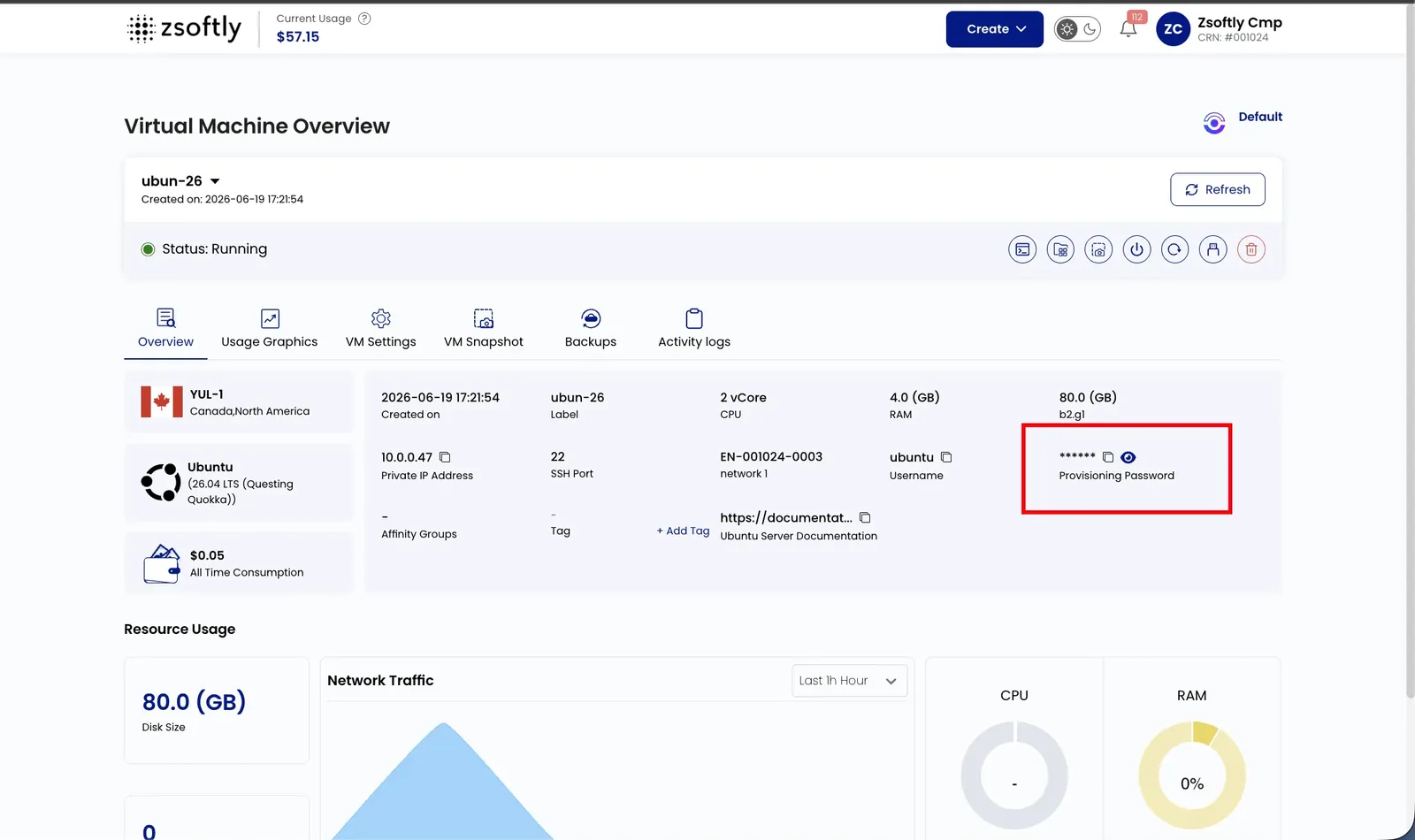
- Authentication Method: SSH Key (recommended) or the Provisioning Password shown on the instance’s Overview tab (see below).
The table below lists common default usernames. It is not an availability catalog. Debian images use
debian as the default username. Confirm the image and region in the portal before connecting.
Default username by OS
Section titled “Default username by OS”| OS image | Default username |
|---|---|
| Ubuntu | ubuntu |
| Debian | debian |
| Rocky Linux | rocky |
| AlmaLinux | almalinux |
| CentOS | centos |
| Oracle Linux | cloud-user |
| Fedora | fedora |
If an image has no distribution-specific user, it may use root. The exact username is shown in
Instance Overview. Windows instances use RDP, not SSH.
Where to find the password
Section titled “Where to find the password”If you deployed without an SSH key, open the instance’s Overview tab and reveal the Provisioning Password: click the eye icon to show it, or the copy icon to copy it. Use it with the default username above. The password is a random sixteen character string generated when the instance is created. Instances created before October 11, 2026 keep their original six character password until you reset it from the instance actions.
Generate an SSH Key Pair
Section titled “Generate an SSH Key Pair”An SSH key pair has a private key you keep secret and a public key you provide when you create an instance. Create one in your terminal.
On macOS and Linux:
ssh-keygen -t ed25519 -C "you@example.com"Press Enter to accept the default path (~/.ssh/id_ed25519), then set a passphrase when prompted.
On older systems without Ed25519 support, use RSA:
ssh-keygen -t rsa -b 4096 -C "you@example.com"On Windows 10 and later, the same ssh-keygen command works in PowerShell. The keys land in
%USERPROFILE%\.ssh\.
Print the public key to copy it:
cat ~/.ssh/id_ed25519.pubYou add the public key when you create the instance: in Server Settings, click Add now
beside Add SSH Key To Your Instance. In the dialog, either enter a key name and paste your
public key, or select an existing key. Keep the private key (~/.ssh/id_ed25519) private and never
share it.
Connecting
Section titled “Connecting”Open a terminal (Command Prompt/PowerShell on Windows, built-in terminal on macOS/Linux).
With SSH Key:
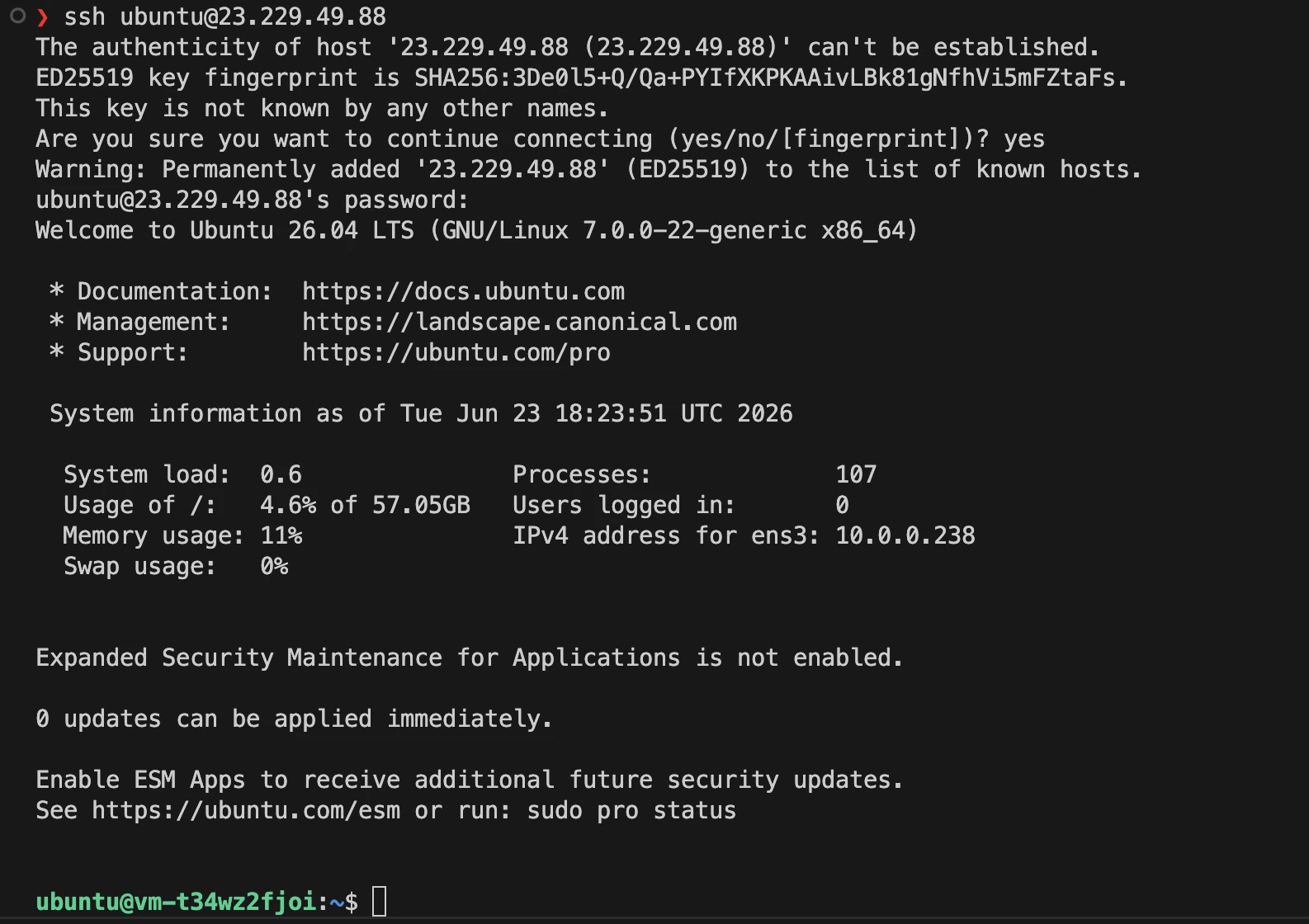
ssh -i /path/to/your/private/key username@ip_addressWith password:
ssh username@ip_addressExample:
ssh ubuntu@203.0.113.10Replace 203.0.113.10 with the public IP address from the portal.